2026. szeptember 6. · 6 perc
Számokban, 2026. szeptember
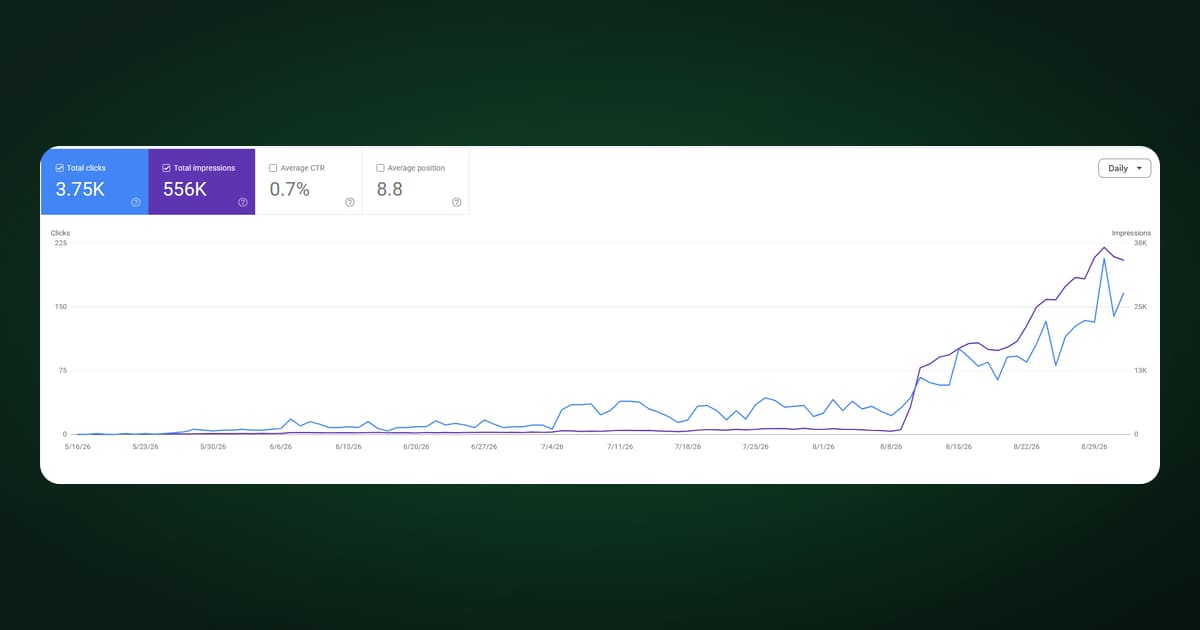
Júliusban írtam arról, hogyan találtuk meg az első 300 felhasználónkat hirdetések nélkül. Két hónappal később itt a mérleg: több mint 700 gyalogló és 6 millió lépés.
És itt térünk rá az átfogó adatvédelmi és séta létrehozási folyamatunk megvitatására. Walk With Me felhasználóként teljes mértékben szabályozhatod, hogy ki látja a sétáidat, ki csatlakozhat és ki nem, ki kérheti a csatlakozást, mikor történik a séta, hol kezdődik, hová tart, mi a célja, és a lista folytatódik.
Ez az első lépés magától értetődő. Választhatsz, hogy lazán elindítod az alkalmazást, és elindulsz egy sétára, így mások is tudják, hogy sétálsz, így kérhetik a csatlakozást. Vagy ha túrát, társasági összejövetelt, például pikniket, vagy bármi mást szeretnél megtervezni, beütemezheted.
Amikor a „Séta ütemezése” lehetőséget választod, a modális ablak két további mezőt jelenít meg: egyet a dátumhoz, egyet pedig az időponthoz 15 perces lépésekben. És ennyi, kiválaszthatod, hogy mikor legyen a séta, és hivatalosan is beütemezheted!
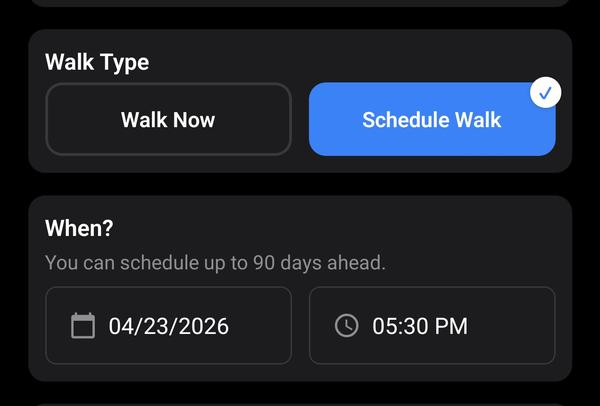
Természetesen nem minden előfizetési szint rendelkezik azonos előzetes időszakkal! A Premium felhasználók egy hónappal előre, a Power Walker felhasználók 90 nappal, a Touring Agency felhasználók pedig 180 nappal előre ütemezhetik a sétákat!
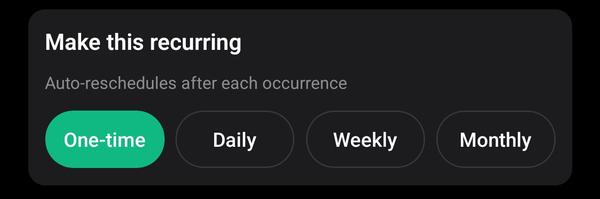
A Power Walker felhasználók ismétlődő sétákat hozhatnak létre, amelyek napi, heti vagy havi ütemezésben ismétlődnek, akár 5 aktív sablonnal. A Touring Agency előfizetői korlátlan számú ismétlődő sétát kapnak. Minden ismétlődő séta automatikusan jövőbeli példányokat generál, így a résztvevők csatlakozhatnak a következő foglalkozásokhoz. Ez időt takarít meg a séták manuális ütemezésének "adminisztrációján".
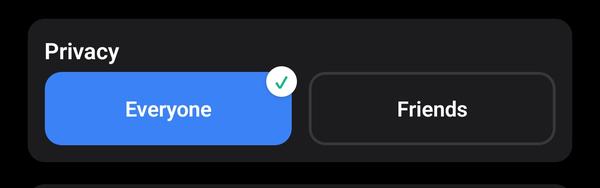
Ez is elég magától értetődő. A Walk With Me alkalmazásban van egy „Ismerős hozzáadása” funkció, így kiválaszthatod, hogy a sétáid csak a barátaid számára legyenek láthatóak, hogy szorosabb kapcsolatot tarts a sétálóközösségeddel, vagy azt szeretnéd, hogy bárki a környékedről csatlakozzon a sétáidhoz, és élvezhesse a társaságodat!
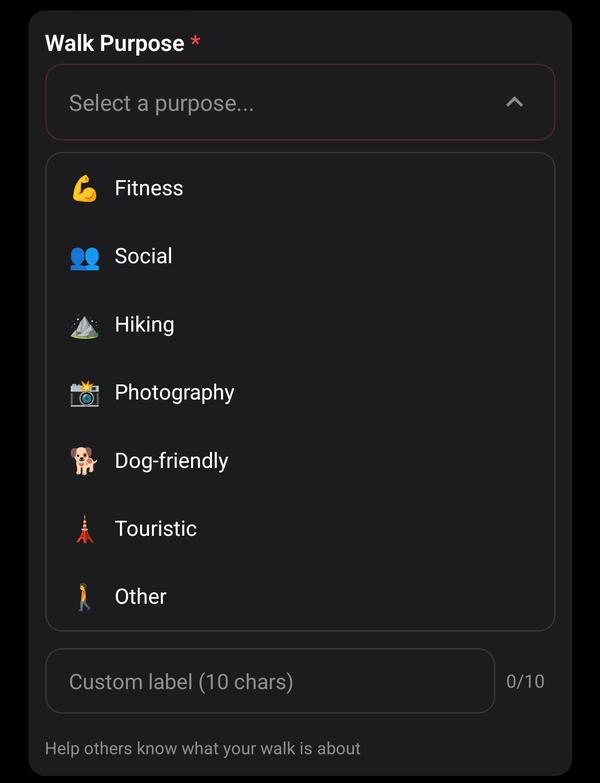
A séta célja lehetővé teszi, hogy kiválaszd, miért szeretnél sétálni, és ez előre tájékoztatja az embereket arról, hogy mire számíthatnak a séta során. Talán egy fotós vagy, aki szereti az utcai fotózást, és szeretne sétálni és fotókat készíteni? Új emberekkel szeretnél találkozni az alkalmazáson keresztül, és azt szeretnéd, hogy a séta társaságosabb legyen? Vagy talán komolyan gondolod a túrázást, és azt szeretnéd, hogy az emberek túrafelszereléssel érkezzenek? A te sétád, a te szabályaid! És attól függően, hogy mit választasz, egy különleges sétajelölőt kapsz a térképen az alábbi ikonok egyikével:
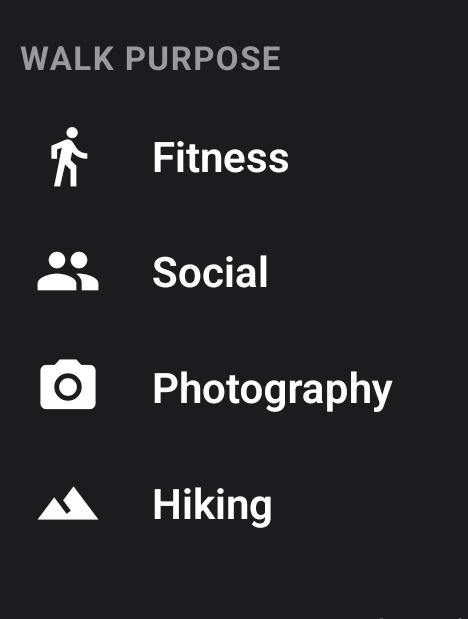
A kutyasétáltatók egy különleges zászlót és színt kapnak! Nevezetesen egy aranyos kutyamancsot rózsaszín színnel!
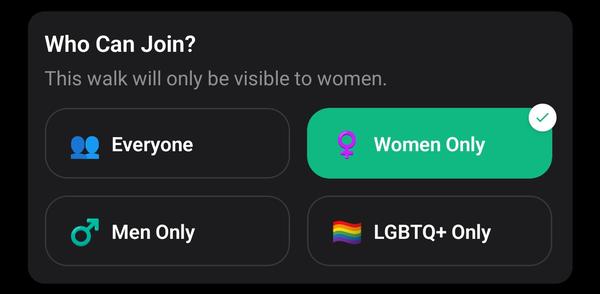
Ez a funkció férfiak, nők vagy az LGBTQ+ közösség tagjai számára készült, akik nem szeretnének bizonyos nemeket a sétáikon. Létrehozhatsz női gyalogos csoportokat vagy csak LGBTQ+ sétákat. A Walk With Me-nél tisztában vagyunk azzal, hogy egyesek félreérthetik az alkalmazást, és randevúalkalmazásként használhatják, ezért szeretnénk biztosítani az emberek számára az adatvédelmet és a biztonságot, hogy csak egy bizonyos nemű emberek csatlakozhassanak.
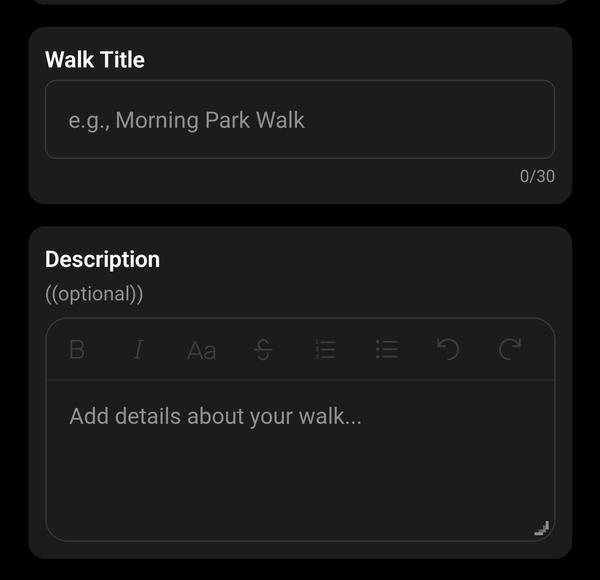
Egy másik magától értetődő mező. Ide adhatsz meg további részleteket a sétádról. Linkeket is megadhatsz, ha további kontextust és információkat szeretnél megadni a terveidről.
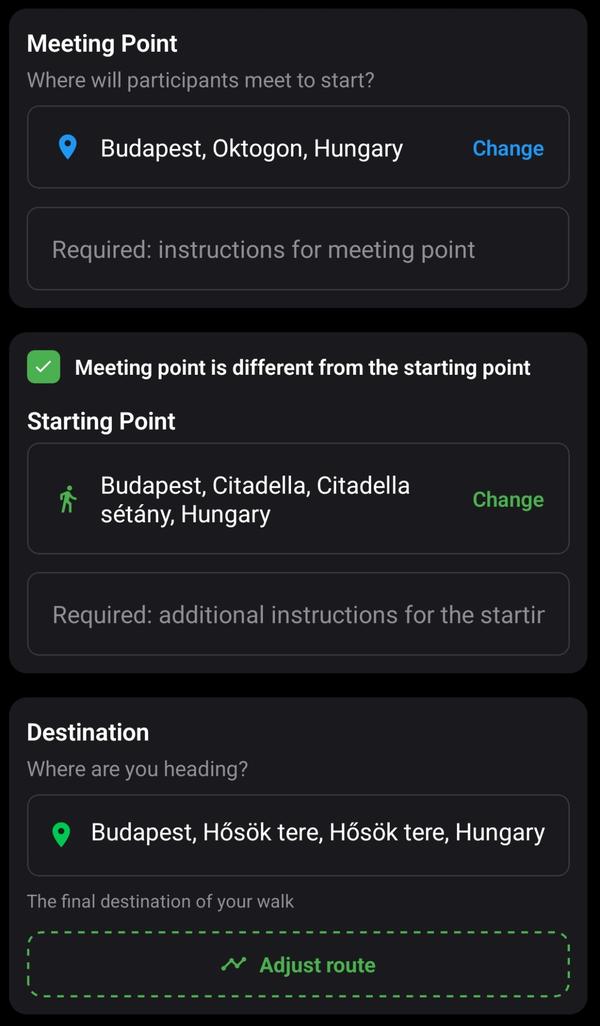
Ebben a részben beállíthatsz egy találkozási pontot. Itt lesz a séta jelölője, és ahol az embereknek találkozniuk kell, hogy elinduljanak a szervezett sétára. Most összefutottam néhány közösségmenedzserrel és túraszervezővel, akik szívesebben találkoznak valahol, és máshol kezdik a gyaloglásukat. Ez egy jogos aggodalom, és rájöttem, hogy a túrázók különösen szeretnek egy állomáson találkozni, majd tömegközlekedéssel eljutni az ösvény elejére, ezért a kiindulópont valójában az, ahol a séta elkezdődik. A cél az, ahová a séta tart, és ahol szerinted véget kellene érnie!
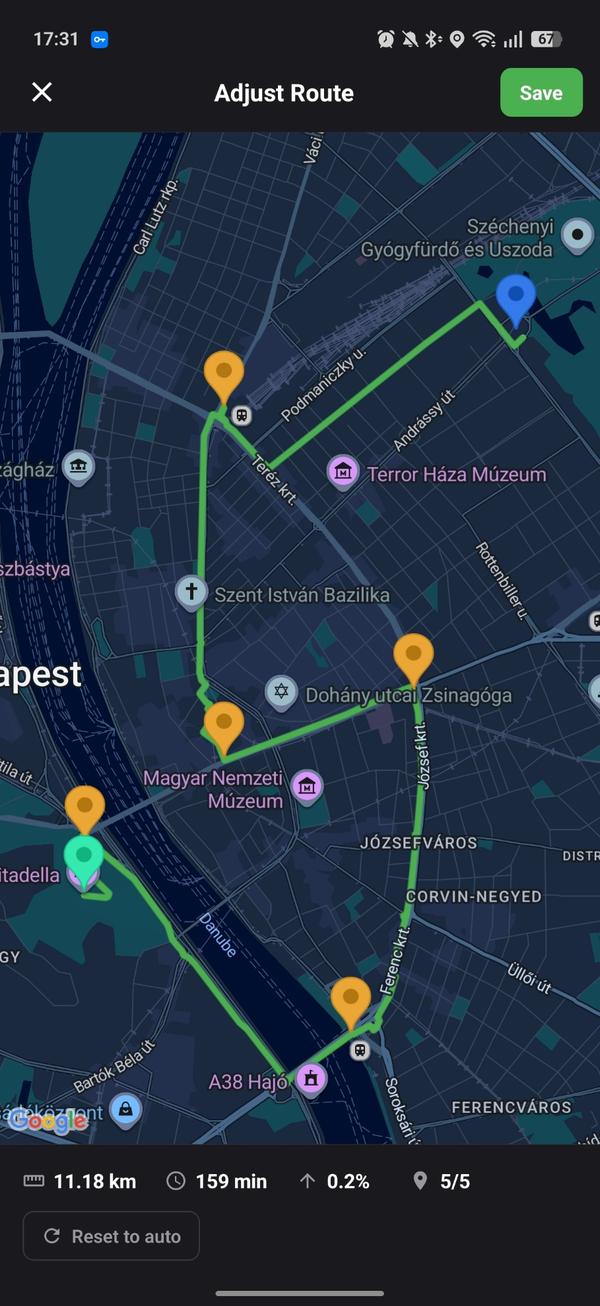
Miután beállítottad a találkozási, kiindulási és célpontokat, testreszabhatod az útitervedet. A Google Térkép automatikus útiterv egyszerűen a leghatékonyabb és legeredményesebb módja annak, hogy A pontból B pontba jussunk, de tudjuk, hogy sokan szeretünk saját útvonalakat készíteni. Különösen az utazási irodáknak vannak bizonyos úti céljaik az út során, amelyeket el szeretnének érni a séta során. Ezért jelölőnégyzeteket adunk az útiterv ablakban, ahol beállíthatod a pontos útvonaladat: hol kezdődik, hol halad át, és hol ér véget.
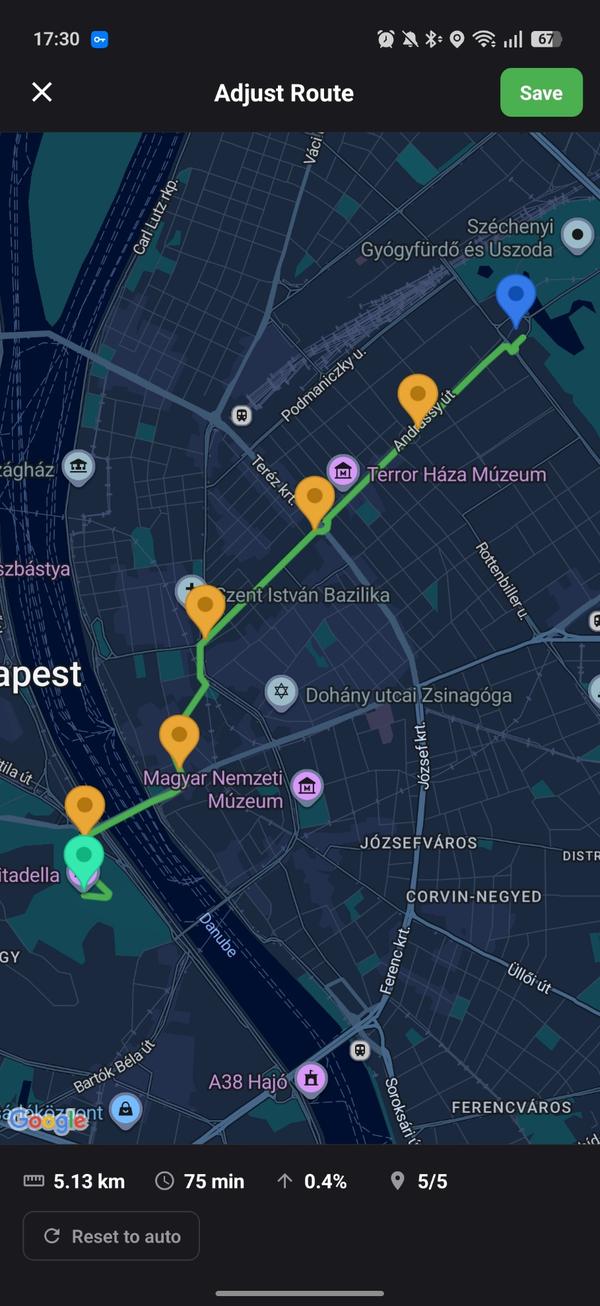
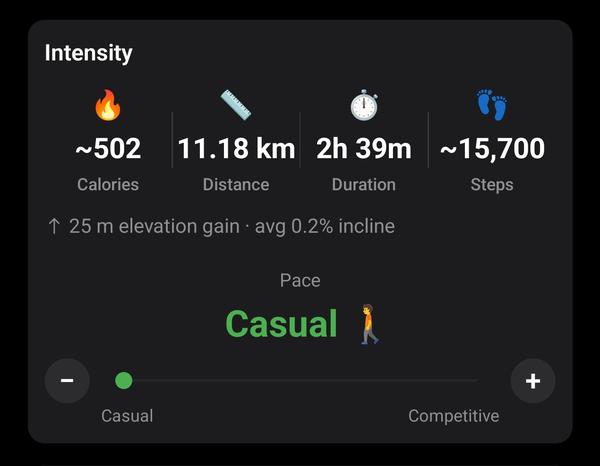
Ez a rész egy pillantással mutatja be a különböző tempókban végzett sétád részleteit. Természetesen minél gyorsabb a tempód, annál intenzívebbnek tűnnek a számok, és a dőlésszög is befolyásolja, hogy a séta többé-kevésbé nehéz. Ezért mindig fontos ezt szem előtt tartani a séta ütemezésekor.
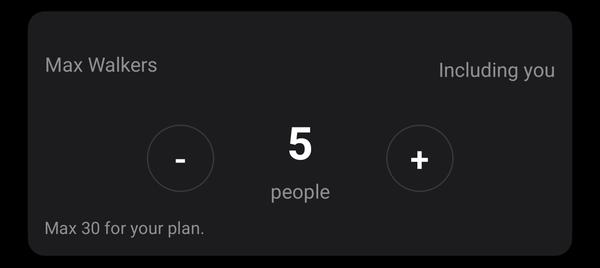
Ez egy másik magától értetődő funkció. Egyszerűen kiválaszthatod, hogy hányan csatlakozhatnak a sétádhoz.
És ezzel végigmentünk az alkalmazás séta létrehozási élményével együtt járó összes funkción! Remélem, tanultál valami újat, és remélhetőleg ez gördülékenyebbé és átfogóbbá teszi a séta létrehozásának folyamatát! Ha bármilyen kérdésed van, nézd meg a FAQ-ot, vagy olvasd el az összes biztonsági funkciónkat.
2026. szeptember 6. · 6 perc
Júliusban írtam arról, hogyan találtuk meg az első 300 felhasználónkat hirdetések nélkül. Két hónappal később itt a mérleg: több mint 700 gyalogló és 6 millió lépés.
2026. szeptember 4. · 9 perc
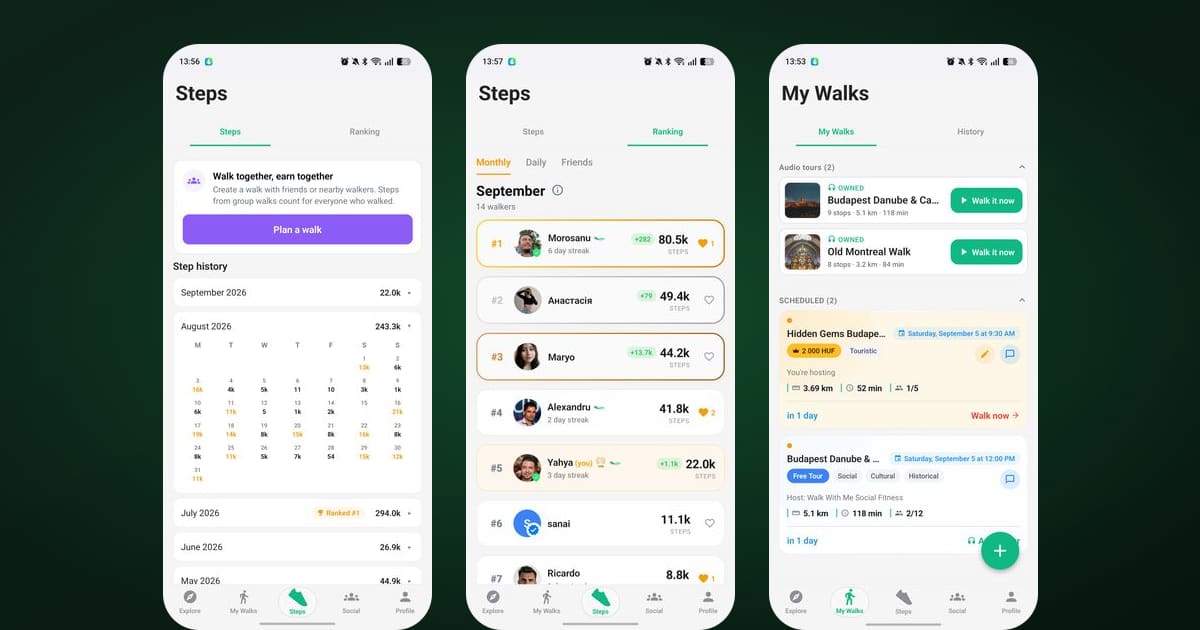
A lépések az app közepére kerültek, a ranglista napi bontást és biztatásokat kapott, a csevegések végre jól működnek, és a helyszínválasztás is szuper lett.
2026. július 29. · 7 perc
Walk With Me vs Strava sétához: az egyik a magányos kilométerek rögzítésére készült, a másik arra, hogy embereket találj, akikkel sétálhatsz. Döntsd el, melyikre van szükséged.