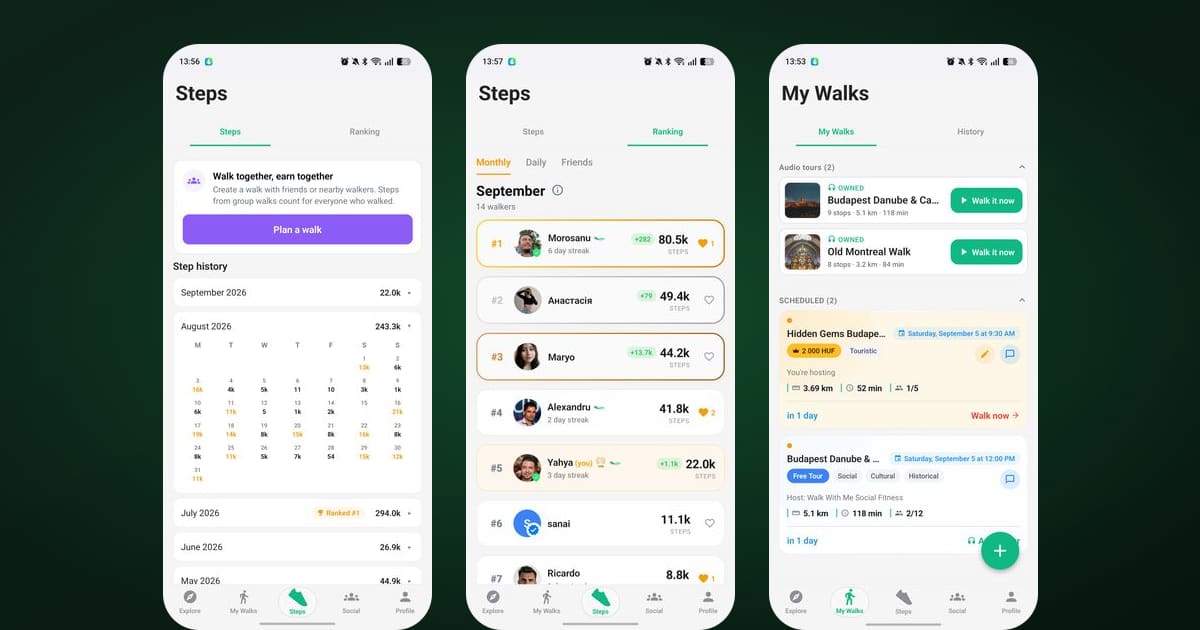
I spent most of August reading your messages, emails and store reviews, and watching which screens people open the most. One screen kept winning, and it wasn't the map or the chats. It was the Steps tab. People check it in the morning, check it again after a walk, and screenshot it to send to friends. So this update starts there and then works its way through the rest of the app. If you're new here, the step counter is the part of Walk With Me that quietly counts every step you take, with or without company.
Both the Android and iOS builds are out now. Here's what changed.
Steps moved to the centre of the app
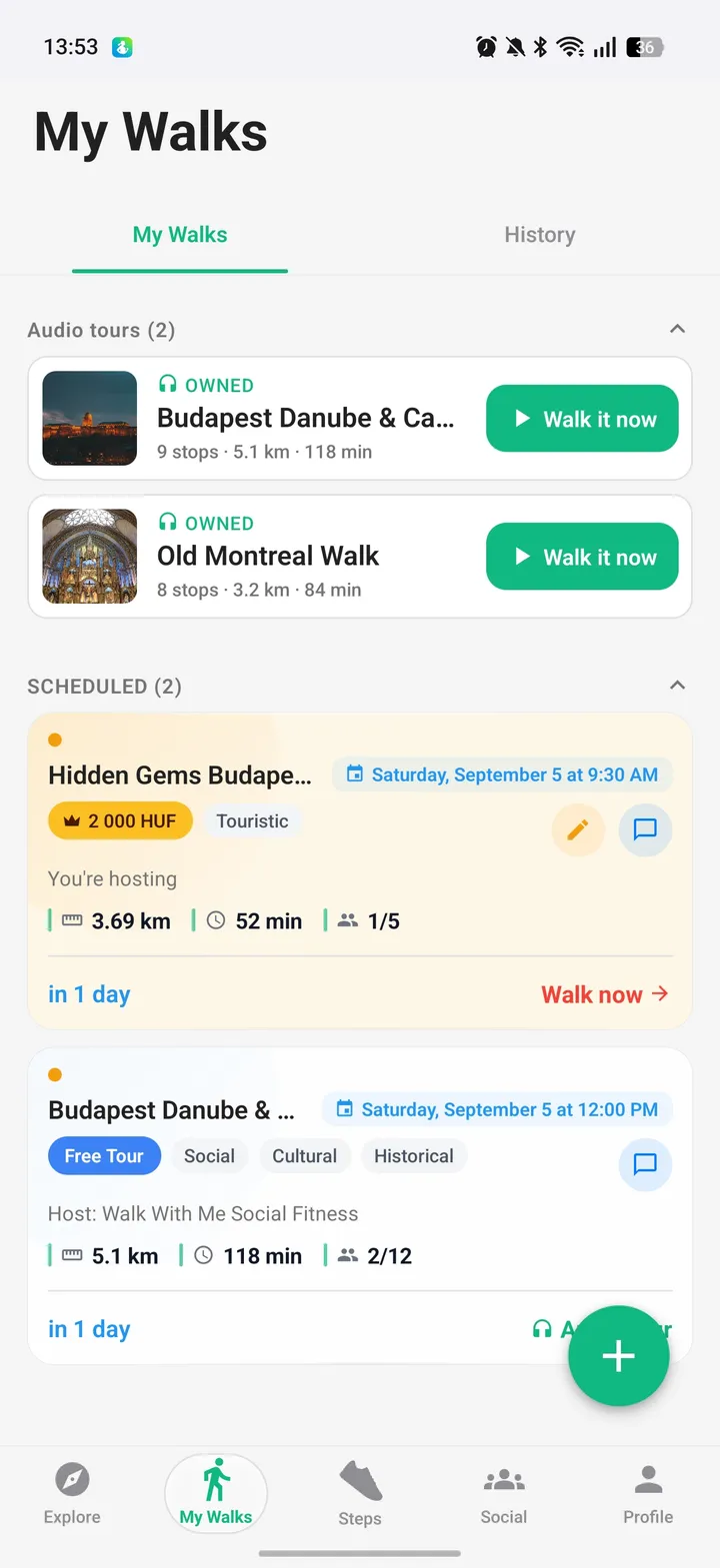
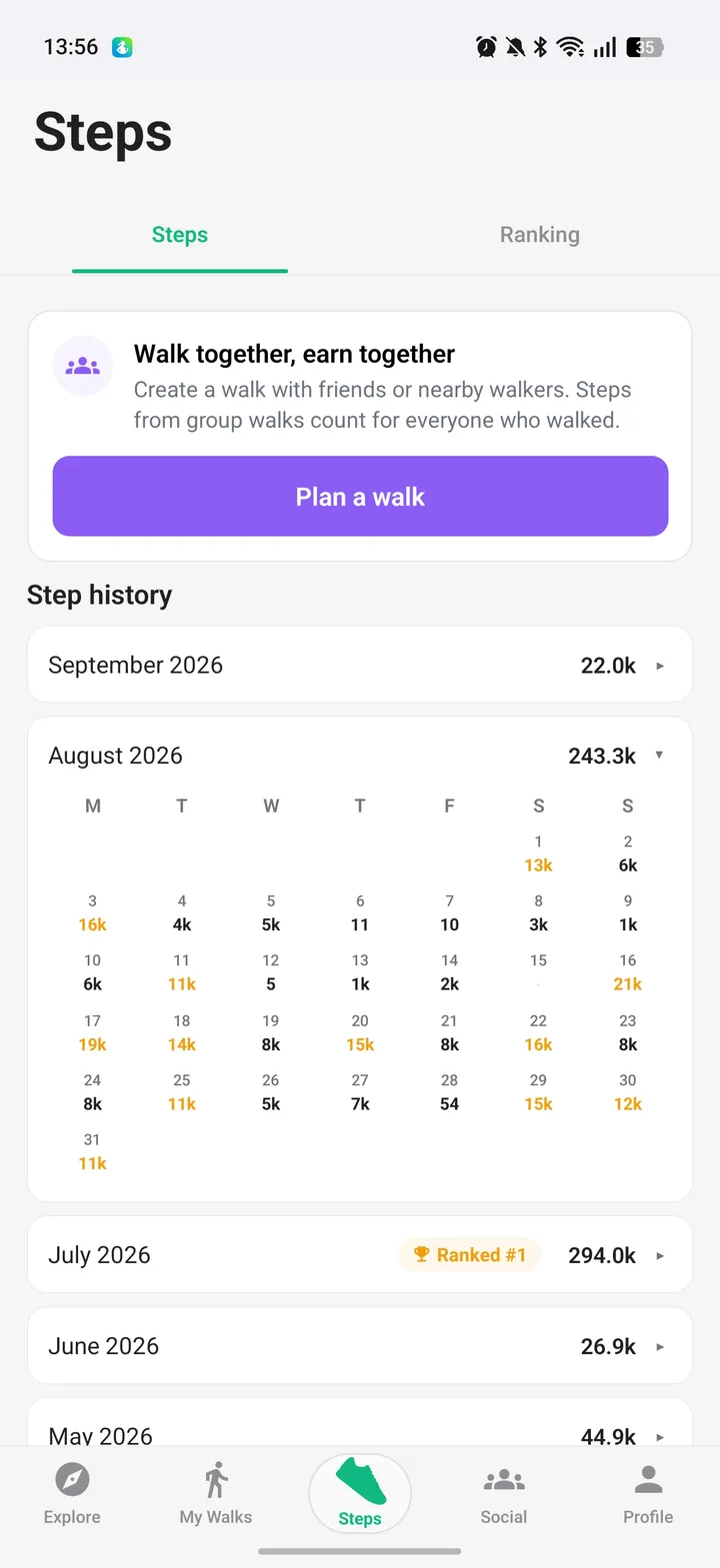
The bottom bar has five tabs now: Explore, My Walks, Steps, Social, and Profile. Steps used to live inside My Walks, two taps away from anything. It's now its own tab in the middle of the bar, with a green sneaker as its icon. Putting it dead centre felt bold at first, but it's the honest answer to where people spend their time.
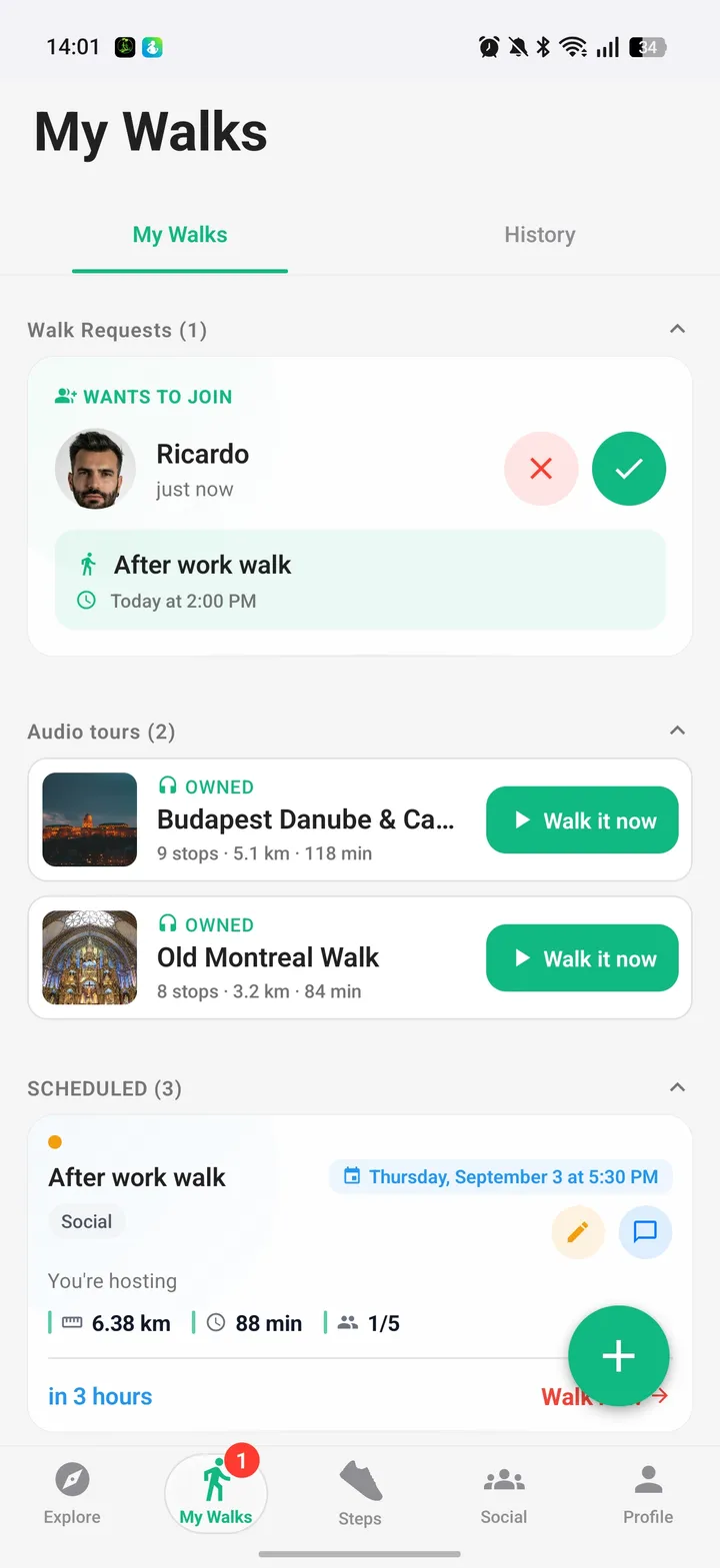
The old Requests tab is gone. Join requests for walks you host and invitations you've received now sit at the top of My Walks, in two sections that only appear when there's something in them. The cards got a redesign too, with a clear "wants to join" or "invited you" label and round accept and decline buttons right in the row. No more digging.
Messages became Social. Same walk chats, same whispers, same friends list, plus a Friend Requests section inside Friends so nothing hides in a tab you forgot about.
Ranking: monthly, daily, friends, and cheers
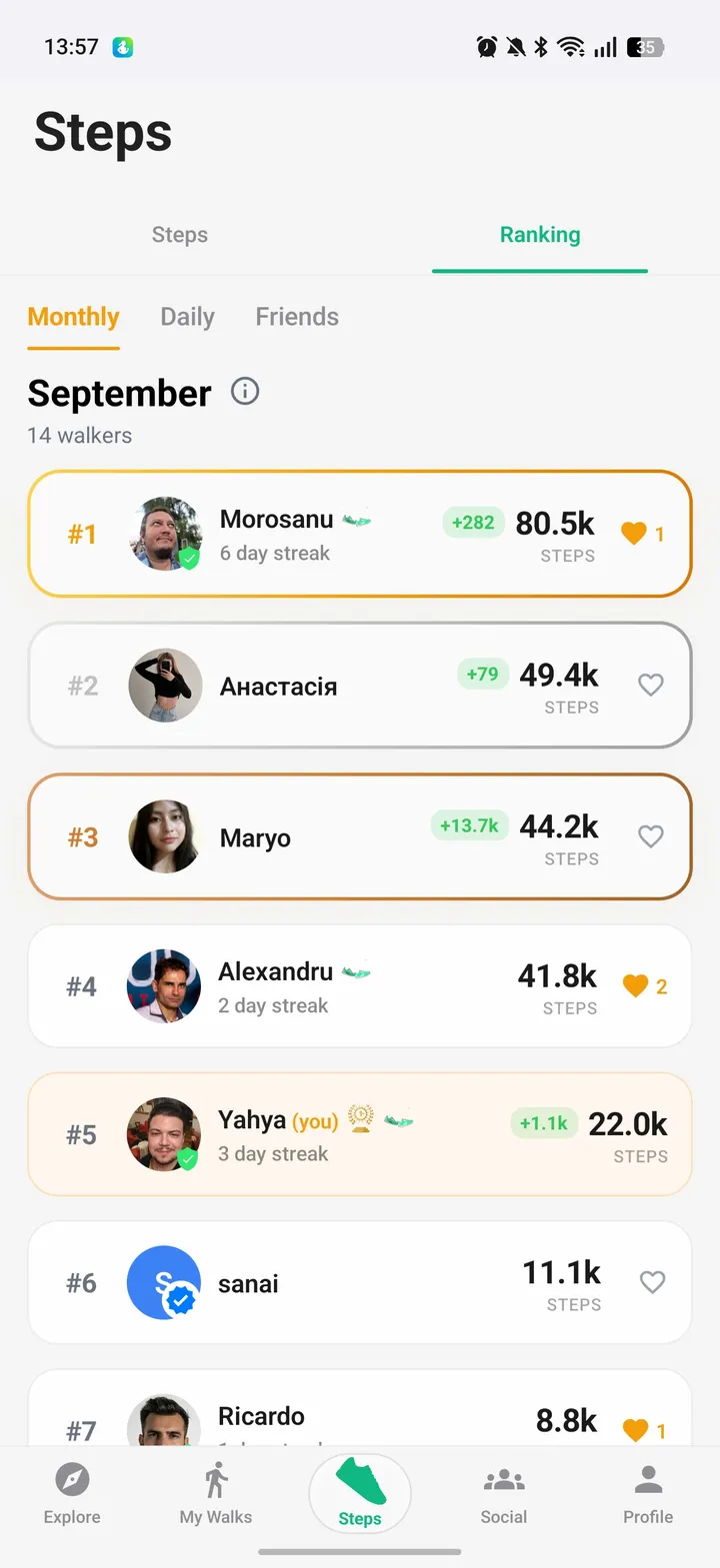
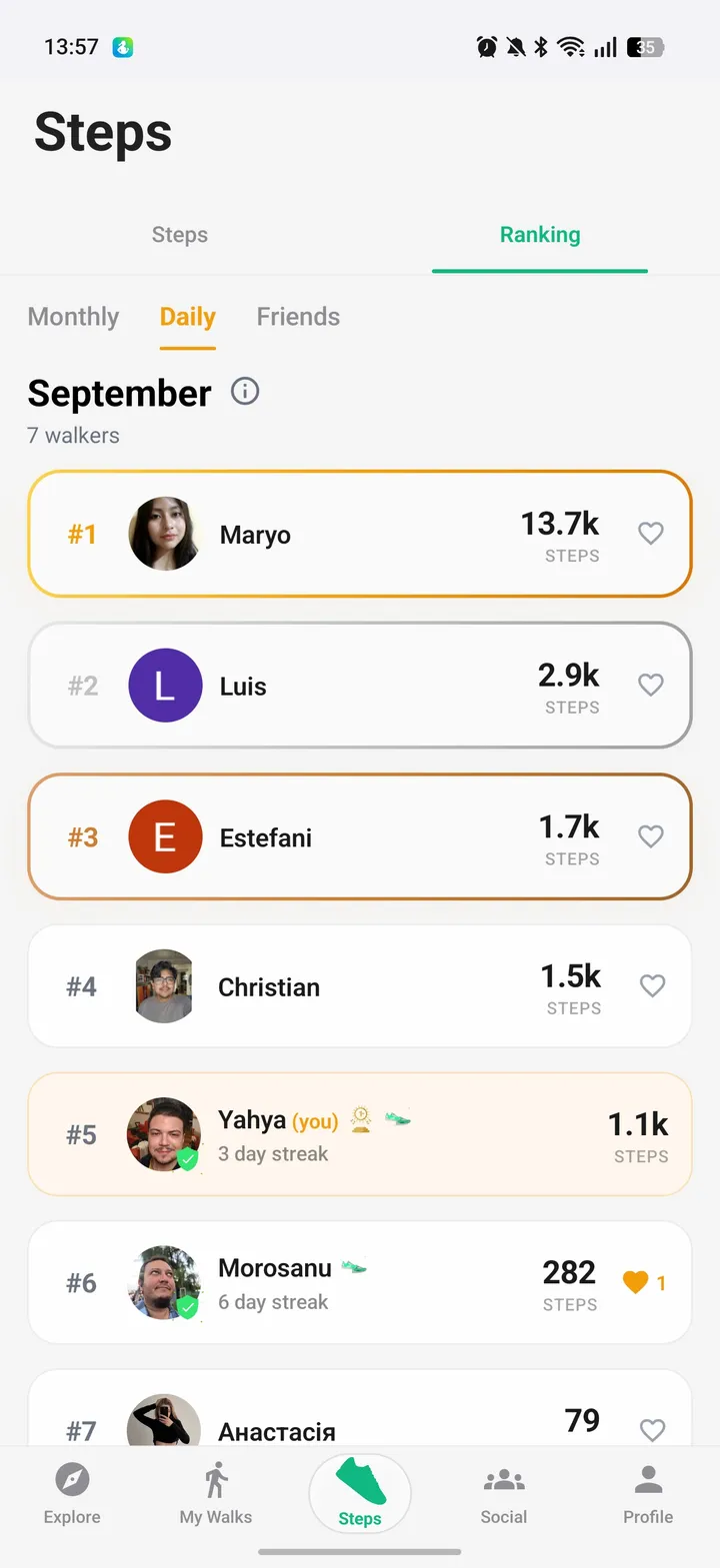
The ranking board had one mode: this month's top ten. A lot of you told me that felt out of reach by the 10th of the month if you'd started slow. So there are three boards now.
Monthly is the one you know. Daily resets every night, so anyone can have a great day and see it on the board. Friends shows only the people you've added, which for most of us is the board that matters.
Each row on the monthly board carries a small green badge with the steps that person added today, so you can see who's moving right now, not just who has the biggest pile. Below the top ten you can keep paging down, and a "Jump to me" button takes you straight to your own row wherever it is.
You can cheer people too. Tap the cheer button on a row of the monthly or daily board and that person gets a notification. One cheer per person per month, on purpose, so a cheer means something. The count shows on the row.
The top three at the end of each month get featured on the public walking leaderboard on this website, with past winners listed there as well. Tap the small info icon next to the month name in the app and it explains the rewards.
Your history, and a bar that goes green
The Steps tab itself grew up. Under the four cards you'll find This Week and This Month totals, then your past twelve months with the rank you finished at in each one. Tap a month and it opens into a day by day calendar. Your daily goal is editable now, which was the single most requested small thing in my inbox.
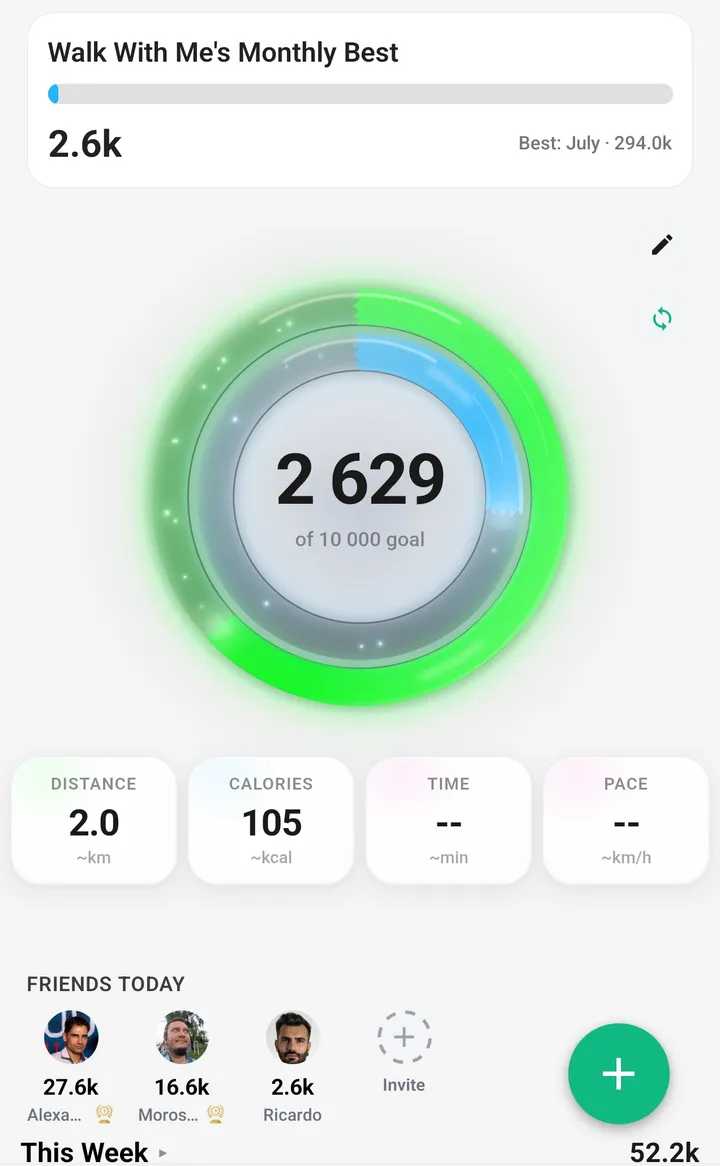
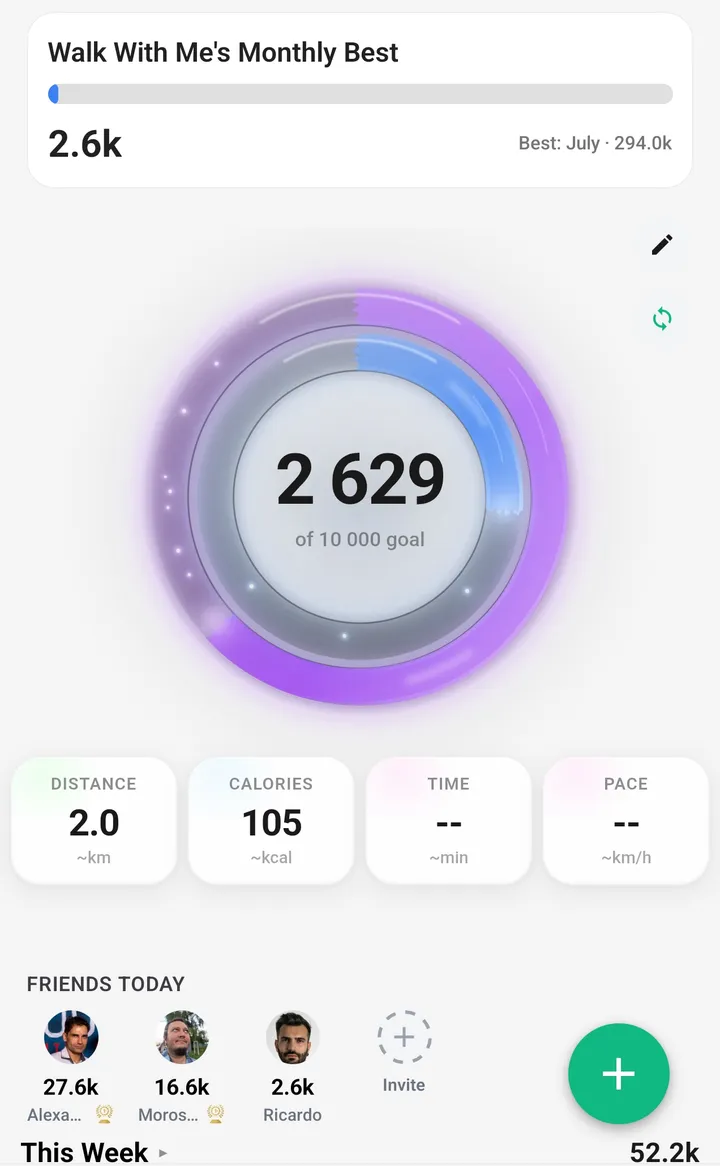
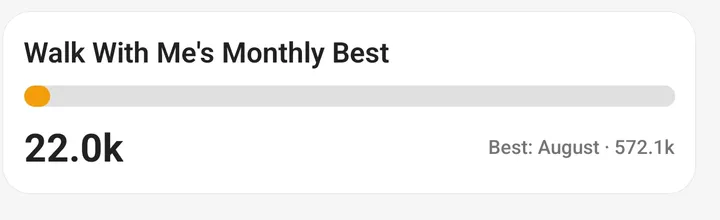
Then there's the bar called "Walk With Me's Monthly Best". It used to show your own best month. A few of you pointed out, correctly, that a bar with the community's name on it should show the community's best. It does now: the highest monthly total anyone in the app has walked in the last twelve months, with your current month filling up against it. Beat it and the bar turns green. No name attached, just a number to chase.
Premium members can also pick the colour of the step gauge. Small thing, weirdly satisfying.
Steps you walk together count too
This one I'm proud of. Steps now come in two kinds: the ones your phone counts on its own, and the ones you earn while you're in a live walk or a group audio tour with other people. We call the second kind social steps. Both add up to your leaderboard total, and tapping a name on the board shows the split between solo and together.
The point of this app was never to count steps. It was to get people walking with each other. Now the board rewards exactly that. And if you've got a few friends who want to count steps together, that's more or less a steps club, and you can run yours right inside the app.
Steps sync without opening the app
Before this update, your steps only reached the leaderboard when you opened the app. Skip it for two days and you vanished from the board for two days. On Android, steps now sync in the background through Health Connect, and there's a Sync now button on the Steps tab if you want to force it. On iOS we use Apple Health's background delivery. One honest note there: Apple only wakes an app for this about once an hour, so iOS totals can lag a little. It's a lot better than never.
Winners now look like winners
August had a bug I'm still embarrassed about. The people who finished top three got their prize, but to everyone else in the app they showed up as free members. No badge, no medal, nothing. That's fixed, and winners now get an in-app celebration when the month closes instead of a quiet notification.
We also split the badges. The gold medal used to be shared between monthly winners and Pioneers, the people who scheduled the first walk in their area. Now the medal belongs to champions only, and Pioneers have their own walking sneakers badge. If you've earned both, you wear both.

Chats that behave like a real chat app
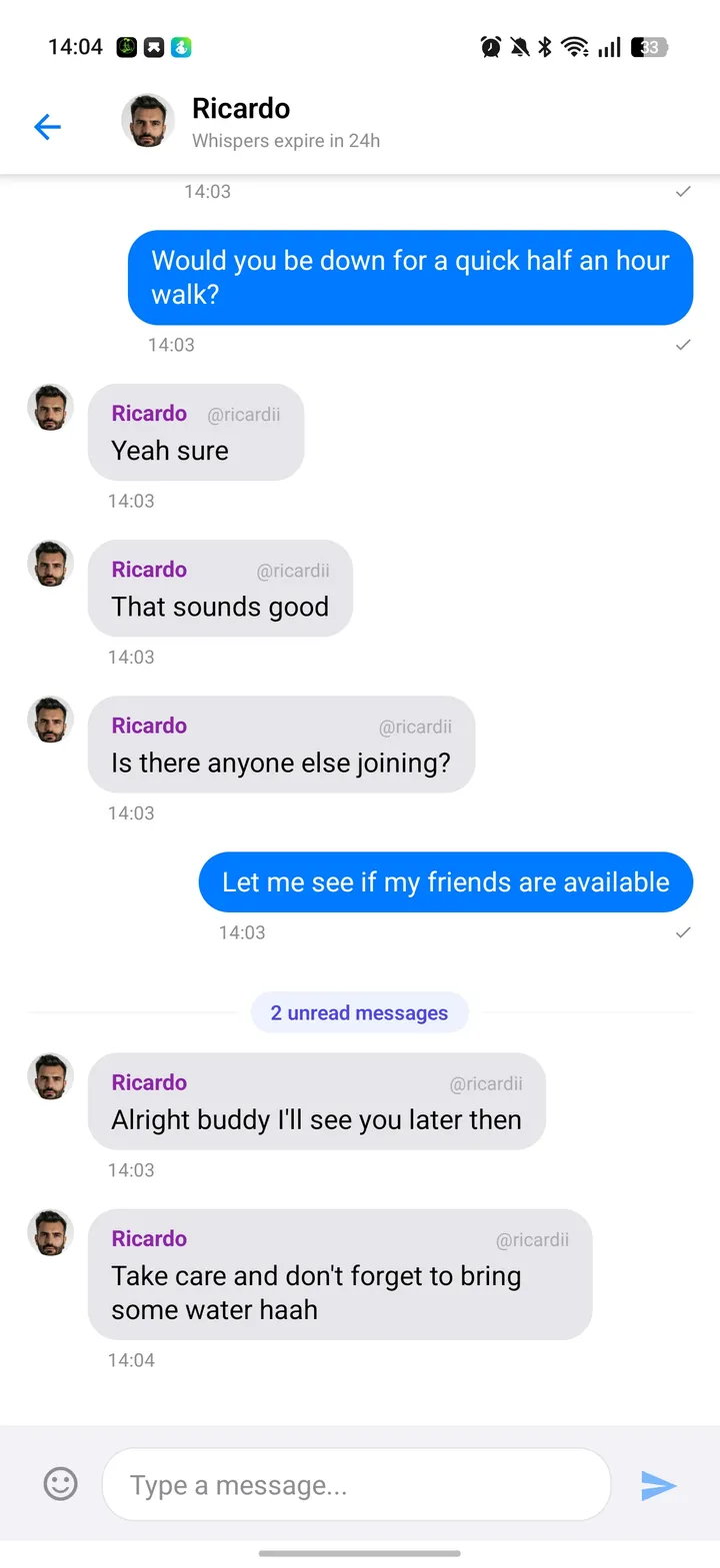
I'll be blunt about the old messaging: unread counts lied. You'd open a chat, go back, and the badge would still be there. Sometimes replying didn't even mark a thread as read. Every one of those paths got rewritten.
Open a chat and the row, the tab badge and the app icon badge all clear at once, and stay cleared. Replying marks the thread read. Conversation lists open instantly instead of loading row by row. Inside a thread you get an unread separator so you can see where you left off, a "Jump to latest" pill when you've scrolled up, typing indicators, and honest states when a message fails or you're offline. Kill the app, reopen it, and your chats are already there.
Explore and the live maps
You're an arrow now. Instead of the blue dot, your marker on Explore and on both live maps is an amber chevron that turns as you turn, so you can tell which way you're facing without walking ten metres first.
The water fountain and toilet buttons on Explore had a bug where they searched around the spot you were standing when you first opened the app, not where you are now. Fixed. Tap a fountain or toilet on the map and you get walking directions to it. There's more on how both layers work in the guides to finding water fountains near you and finding public toilets near you.
Audio tours got the biggest polish. Each stop has a proper play button, the "I'm here" button shows how far away you are and becomes active when you're close, there's a soft chime when you arrive, a compass arrow points at the next stop, and if you'd rather listen before you get there, a "Play anyway" button lets you.

Creating a walk
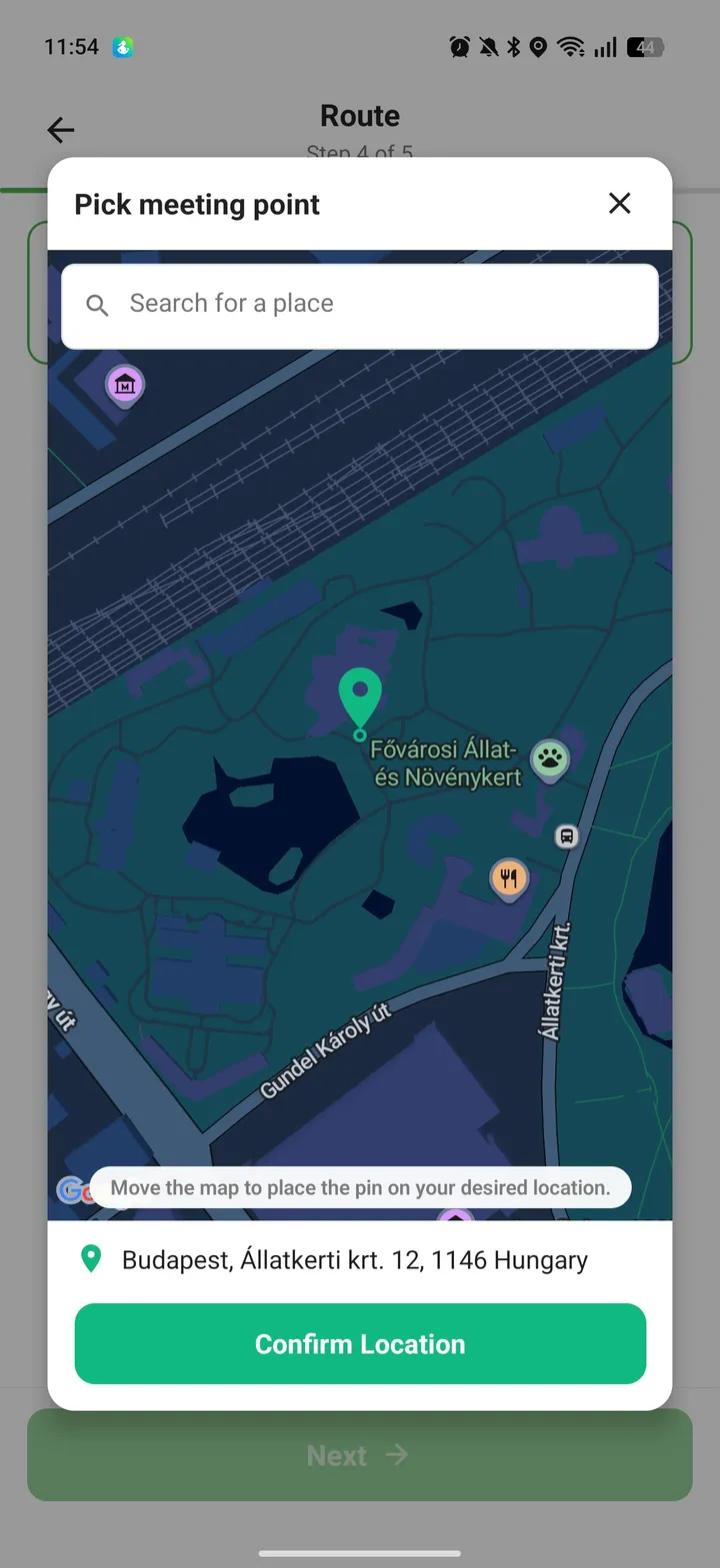
Picking a location used to mean a small static map and a Change button. Every location input in the app now opens the same picker: a big map with a pin fixed in the centre. You move the map under the pin, the address updates as you go, there's a search box on top of the map, and one button: Confirm Location. Meeting point, starting point, destination, itinerary stops, all the same.
Someone wrote to me because they couldn't schedule a walk at their office 40 km away. The search refused to find it, because the app used your discovery radius for everything. Discovery and planning are separate now. Walks you see nearby stay close to you. Where you can plan a walk is anywhere. And your own walks always show on Explore, no matter how far away they are.
Casual walks, the ones without a planned route, used to show "0 km, 120 min" on their cards, which meant nothing. They show capacity now, like "1/5". Walks with an itinerary keep their distance and time.
"Still walking?" instead of a hard stop
A live walk used to end the instant it hit its planned duration. Your location sharing died, the route stopped drawing, and you got a "Walk completed" notification while you were still, in fact, walking. Now, when the time is up, the app asks. You get a prompt and a notification with two buttons: Continue walking, which adds 60 minutes and can be tapped again up to a total of eight hours, or Stop walk. Ignore it and the walk keeps going for another hour before ending on its own, so a forgotten walk never shares your location forever.
One honest change to the Pioneer program
New Pioneers, the first person to schedule a walk in their area, now get one month of Premium free instead of lifetime. Everyone who already earned lifetime keeps it. Travel Mode no longer counts either, because eligibility is now tied to where you physically are. I'd rather say that plainly than hide it in release notes.
Thank you
Nearly everything above started as a message from one of you. Keep them coming, the good and the annoyed. Walk With Me is free on the App Store and Google Play, and the update is live on both. Go check your steps.